
Chapter 16 · 16.4
The Backups section
In the menu of DirectAdmin, under Advanced Features, next to Backup and Restore, there's also a section called Backups. This isn't a feature of DirectAdmin itself, but a shortcut to WebOké Backups in My WebOké.
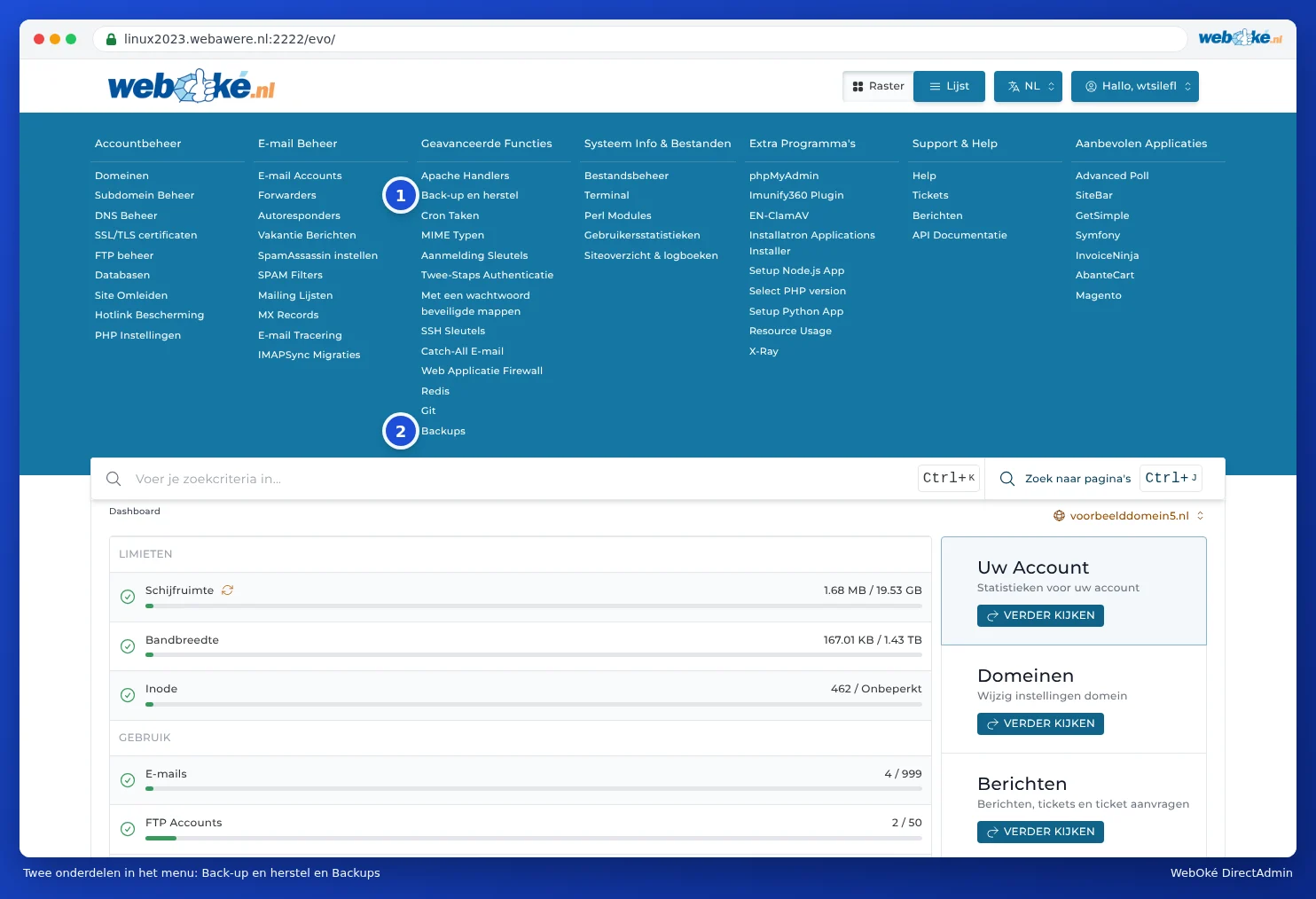
What happens when you click it?
If you click Backups (2), you'll go to my.weboke.nl/backups. If you're not yet logged in to My WebOké, you'll log in first. After that, you'll see WebOké Backups, with the backups we make of your package every night.
Backup and Restore or Backups?
| Backup and Restore (1) | Backups (2): WebOké Backups | |
|---|---|---|
| Who makes the backup? | You, manually | We do, automatically every night. You can also create an extra backup with one click. |
| How far back? | Only the backups you've made yourself | Every night for the past 30 days |
| Where is it stored? | In your own package, counts towards your storage | On separate storage servers, doesn't count towards your storage |
| Restore a single file or mailbox | No, only entire sections | Yes |
| Place as a copy alongside your current site | No | Yes |
| Safety backup beforehand | No | Yes |
For almost everything, WebOké Backups is the easiest and safest choice. You can read how it works in Can I also do this in My WebOké? WebOké Backups.