
Chapter 7 · 7.5
Forwarders: forwarding mail to another address
Watch it in a short video
With a forwarder, you automatically forward all mail sent to an address on your domain to one or more other addresses. For example: everything sent to sales@yourdomain.nl arrives in the mailbox of john@yourdomain.nl. A forwarder is not a mailbox itself: nothing is stored and you cannot log in to it.
When should you use a forwarder?
- You want extra addresses, such as sales@, invoices@ or vacancies@, without setting up a separate mailbox for each address.
- Mail to an old or renamed address needs to keep arriving.
- Several colleagues need to receive the same mail: add multiple destinations.
- You want an address that does not accept mail, such as noreply@ (see below).
Creating a forwarder
- In DirectAdmin, go to E-mail Manager and then Forwarders. Select the domain at the top right if needed.
- Click CREATE FORWARDER EMAIL ACCOUNT.
- Under New Forwarder Name (1), type the part before the @, for example sales, and click ADD or press Enter. You can add several names that all go to the same destination.
- Under Add Destination (2), type the full e-mail address the mail should go to and click ADD. Repeat this if you want more destinations.
- Under Request Preview (3), you'll see what will be created. If it's correct, click CREATE (4).

The forwarder works immediately. You'll then see it in the list under Forwarders, with the Value column showing where the mail goes.
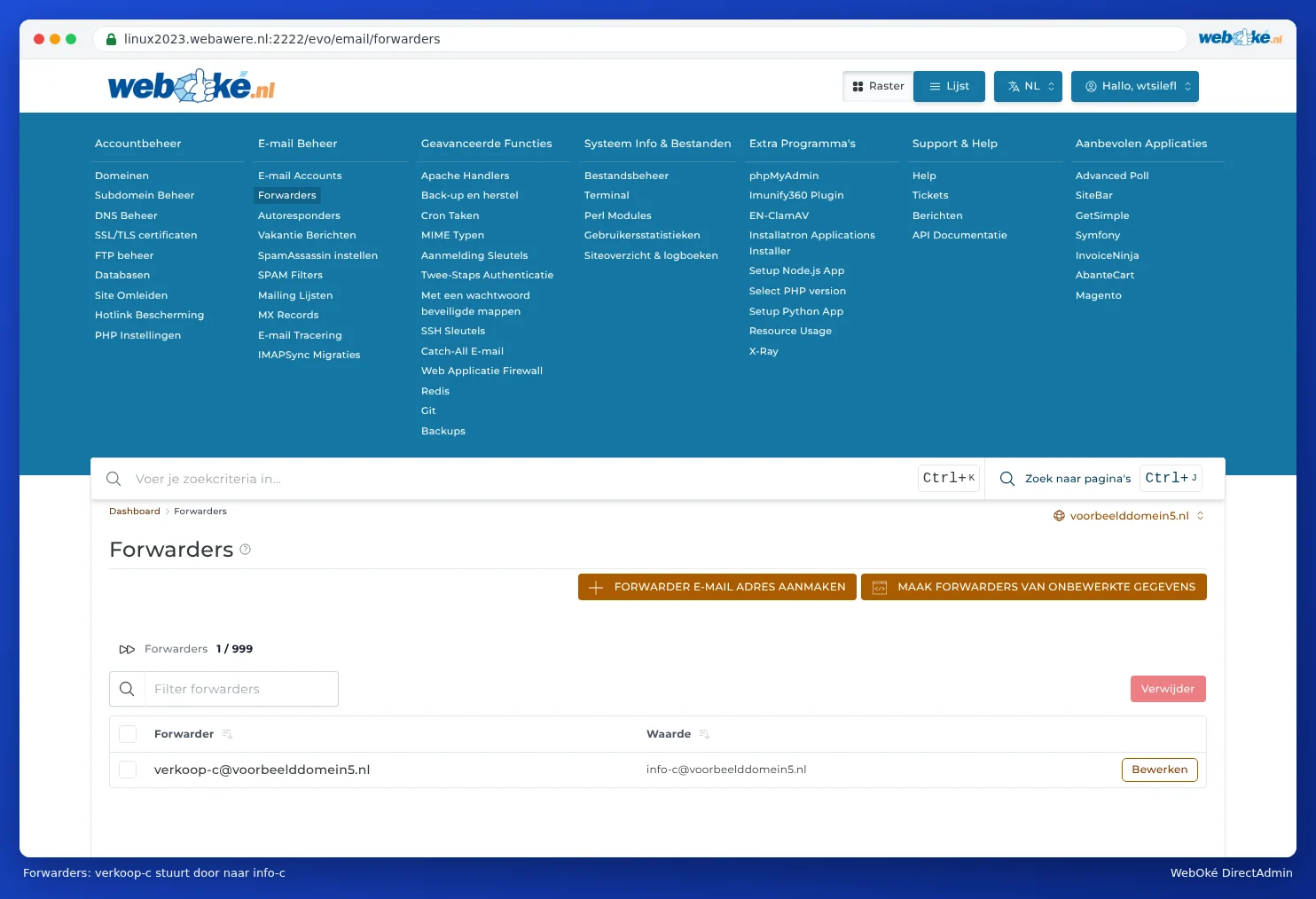
Do you need to create lots of forwarders at once? With CREATE FORWARDERS FROM RAW DATA, you can enter them all at once as text. This is mainly handy for advanced users; for a few forwarders, the regular form is easier.
Changing or deleting a forwarder
In the list, click Modify next to the forwarder to change the destinations. To remove it, tick it and click Delete.
Forwarding a mailbox while keeping a copy
You can create a forwarder with the same name as an existing mailbox, for example info if info@yourdomain.nl is already a mailbox. Keep in mind: the forwarder takes priority. Mail to info@ goes to the forwarder's destinations and no longer arrives in the info@ mailbox, unless you also add that as a destination yourself. So if you want mail to info@ to stay in the mailbox and also go to john@, give the forwarder two destinations: info@yourdomain.nl and john@yourdomain.nl.
You can also create a forwarding rule in webmail: open the settings there and create a filter that forwards a copy (see Opening webmail).
Forwarding to Gmail, Outlook.com or Hotmail
This is possible, but it doesn't always work well. Free e-mail services often see forwarded mail as suspicious, because the mail from the original sender suddenly comes from our server. That mail can then end up in spam or even be rejected, and spam forwarded by your forwarder also counts against our server. Our advice:
- It's better to read the mail directly in the mailbox, via webmail or by adding the address to your phone or the Gmail app (see Android and the Gmail app).
- Turn on the spam filter (see SpamAssassin Setup), so less spam gets forwarded.
An address that doesn't accept mail
As a destination, you can also specify a special value instead of an e-mail address:
- :blackhole: the mail is accepted and immediately discarded. The sender notices nothing.
- :fail: the mail is rejected and the sender receives an error message.
For a noreply@ address, :fail: is usually the neatest option: that way the sender knows their reply won't arrive. Do you see :blackhole: for your forwarders for postmaster@, abuse@ or webmaster@? These are there to block spam to those well-known addresses. Leave them in place; you can forward them to your own address if you like.
Sending on behalf of a forwarder
Our mail servers check which address you're sending mail from. When logged in with a mailbox, you may send from that mailbox's address, and from forwarders that forward to that mailbox. Do you want to send mail as sales@ from the john@ mailbox? Then create a forwarder from sales@ to john@ and set sales@ as an extra sender address in your mail program. Without that forwarder, you'll get an error message such as Account ... can not send emails from ....
Frequently asked questions
The forwarder isn't working.
Check that you selected the right domain and that the destination address is spelled correctly. If the forwarder has the same name as a mailbox, see above for how to keep a copy in the mailbox. If the mail doesn't arrive at a free e-mail service, check the spam folder there and read the paragraph above. Use E-mail Tracking to see what happened to a message (see E-mail Tracking: where did my mail go?).
Can I send all mail from my domain to one address?
Yes, with Catch-All E-mail, but we advise against this because of spam (see Catch-All E-mail: mail to non-existent addresses).
Can I also do this in My WebOké?
For domains in a hosting package or e-mail package, you set up forwarders in DirectAdmin. In My WebOké, under My Domains, you'll find the Forwarders tab; for a domain in a package, there's an Open DirectAdmin button there that logs you in straight away. If you only have a domain name without a package, you set up e-mail forwarding yourself there. The AI assistant can also create a forwarding for you.